
Private access across web applications
Use Datawiza across ERP systems, internal tools, and customer or partner portals. Apply a common access-management approach across teams and hosting environments.
ZTNA alternatives
Simplify private access across your HTTP/HTTPS application portfolio. Datawiza Access Proxy adds SSO, MFA, and granular policies without application-code changes. Keep existing app credentials with built-in MFA, or connect your identity provider for SSO and MFA.
Choose your access model
Compare authentication workflows, required protocols, deployment responsibilities, and ongoing administration. Project size alone does not determine the right access model.
Use Datawiza across ERP systems, internal tools, and customer or partner portals. Apply a common access-management approach across teams and hosting environments.
Inventory non-web requirements such as raw TCP/UDP, desktop delivery, and native clients separately. Choose the capabilities and deployment modes those workloads require.
Move appropriate web applications in phases while retaining infrastructure needed for other workloads. Validate representative apps, identity flows, policies, and availability before expanding.
How it works
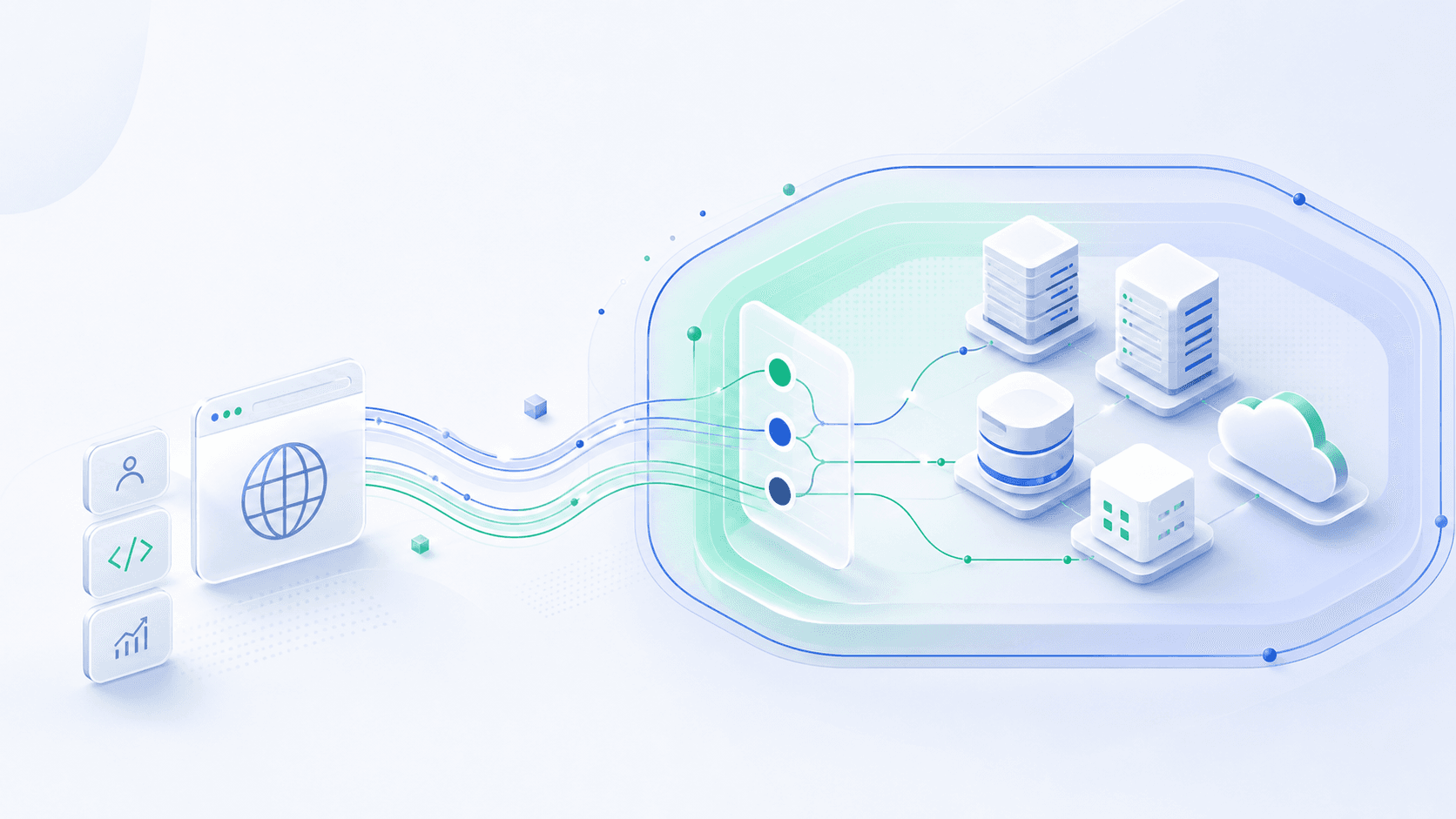
Datawiza sits in the HTTP/HTTPS request path. Keep existing application credentials and add built-in MFA, or connect a supported identity provider for SSO and MFA. Both options use the proxy's shared access policies before allowed requests reach the application.
Browser-based access
Employees · Partners · Customers
No endpoint agentReverse proxy enforcement point
Choose one sign-in model
Built-in MFA
Existing app credentials
IdP SSO + MFA
Supported identity integration
Per-app policy
App path rules
Audit logs
Customer-managed data plane
On premises · Private cloud · VPC / VNet
Protected destinations
ERP · Custom apps · Internal tools · Portals
Approved traffic onlyOptional identity integration
Optional enterprise identity provider
Optional enterprise identity provider
Browser-based access
Employees · Partners · Customers
No endpoint agentReverse proxy enforcement point
Choose one sign-in model
Built-in MFA
Existing app credentials
IdP SSO + MFA
Supported identity integration
Per-app policy
App path rules
Audit logs
Customer-managed data plane
On premises · Private cloud · VPC / VNet
Protected destinations
ERP · Custom apps · Internal tools · Portals
Approved traffic onlyDeploy this pattern across your HTTP/HTTPS application portfolio. Evaluate non-web protocols and desktop delivery separately. Datawiza cloud management and logging are separate from application traffic; plan the required connectivity, availability, and origin restrictions. Review deployment prerequisites.
Evaluation checklist
Capabilities vary by vendor and deployment mode. Use the vendor comparisons below to examine the actual browser, identity, and traffic paths, rather than assuming every ZTNA product works the same way.
| Criteria | Datawiza Access Proxy | What to verify in an alternative |
|---|---|---|
| Application portfolio | HTTP/HTTPS apps across business units, users, and hosting environments. | Supported protocols, application types, and user populations. |
| Authentication choices | Existing app credentials plus built-in MFA, or supported IdP SSO/MFA. | Account ownership, MFA methods, identity integrations, and recovery workflows. |
| Application traffic | Customer-hosted proxy; no Datawiza-hosted cloud relay is required for app traffic. | Cloud, local, or hybrid options and the path for each access mode. |
| Browser experience | Browser access without a Datawiza endpoint agent. | Agentless options and where a client or managed browser is needed. |
| Granular access policies | Paths, HTTP methods, available identity attributes, and request conditions. | Required policy expressions, available signals, and enforcement behavior. |
| Application sign-in | No-code integrations and supported identity handoffs; built-in MFA alone is not SSO. | The application's login flow, account mapping, and session behavior. |
| Operational dependencies | Proxy availability, certificates, cloud management/logging, and optional IdP connectivity. | Connectors, service edges, cloud dependencies, upgrades, monitoring, and failover. |
| Non-web requirements | Evaluate separately from the HTTP/HTTPS application-access layer. | Native TCP/UDP, network-resource, and desktop-delivery requirements. |
Vendor comparisons
Concise comparisons of architecture, authentication choices, and deployment fit.
In-depth guides
Read the detailed articles for deployment considerations, sign-in options, and practical evaluation steps.
Datawiza approach
Add Datawiza built-in MFA without requiring Active Directory, LDAP, or an external identity provider. Validate enrollment, recovery, and application-session integration.
Connect supported providers such as Microsoft Entra ID, Okta, Cisco Duo, and Ping for SSO and MFA. Confirm account mapping and the identity information each application needs.
Place proxies near your applications, across on-premises and cloud environments, and manage them centrally. Application traffic is separate from cloud management.
Configure authentication integrations and policies at the access layer. Use a repeatable approach across custom software, packaged applications, and web portals.
FAQ
Yes, across HTTP/HTTPS applications, business units, and employee, partner, or customer populations. Plan capacity, availability, policies, and authentication for the portfolio. Evaluate non-web connectivity and desktop delivery separately.
No external IdP, Active Directory, or LDAP is required when using existing application credentials with Datawiza built-in MFA. You can instead connect a supported IdP for SSO and MFA. Adding built-in MFA alone does not create SSO across unrelated application accounts.
No. Several ZTNA products offer agentless web-access modes. Compare the browser experience, authentication workflow, required components, and policies for your chosen deployment rather than treating agentless access as exclusive to one vendor.
No. Cloud, local, and hybrid options vary by product and access mode. Customer-hosted Datawiza does not require a Datawiza-hosted cloud relay for application traffic, but management, logging, and optional identity integrations still have connectivity requirements.
Yes. Evaluate Datawiza for application authentication and access policy while retaining infrastructure required by other workloads. Validate the combined traffic path, identity integration, origin restrictions, and failure behavior.
Sign up to secure your AI agents and critical enterprise apps